Pauso logo
PausoFocus & app pauser · Android 8+

A breath before
you open it.

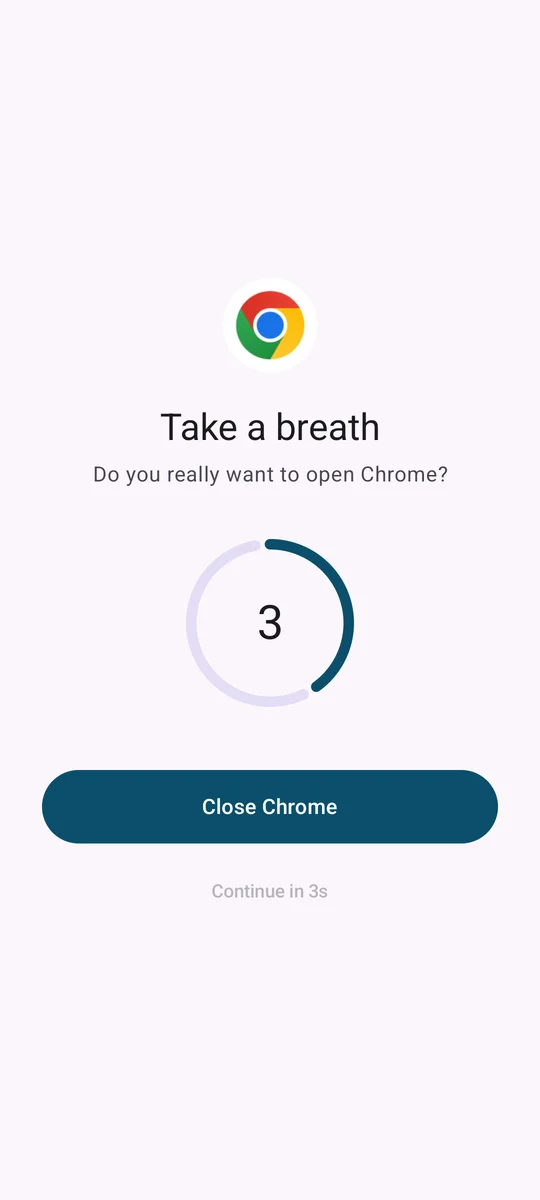
Pick the apps that pull you in. The next time you open one, Pauso shows a calm full-screen pause: Do you really want to open this? After a few seconds you can continue on purpose, or close it and move on. Most of the time, that breath is all it takes.

5sdefault pause
0ads
0accounts
100%on your phone
The Pauso pause screen over Chrome
How it works

Three steps, one breath

Pauso doesn't nag or lock you out of your own phone. It just puts a small gap between the reflex and the scroll.

Pick the apps

Instagram, YouTube, X, a game, whatever eats your evenings. Three apps are free; Premium pauses as many as you like.

Take a breath

Open a paused app and a calm screen appears first, with a 3 to 30 second countdown you choose per app.

Decide on purpose

Close it and go back to your day, or continue once the countdown ends. Every open you avoid counts toward your streak.

When a pause isn't enough

Harder limits for harder days

Premium adds the tools that hold the line when willpower is low: schedules, daily budgets and a strict mode with no early exit.

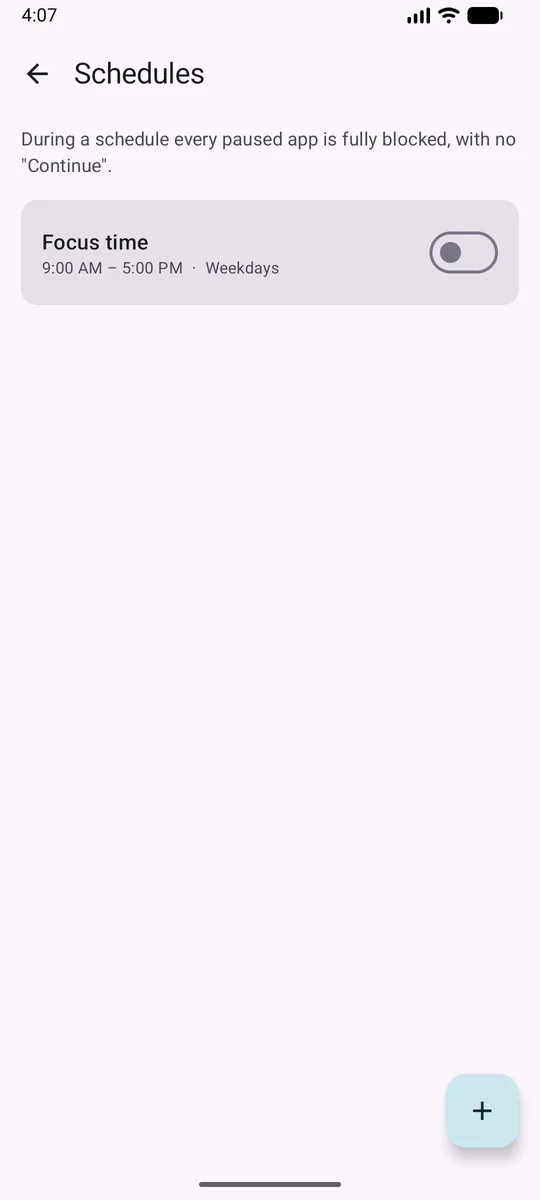
Pauso schedules screen

Block schedules

Work hours, study time, bedtime. During a schedule every paused app is fully blocked, with no "Continue" button at all.

  • Any start and end time, including overnight windows
  • Pick the days of the week each schedule runs
  • Switch a schedule off for the day without deleting it
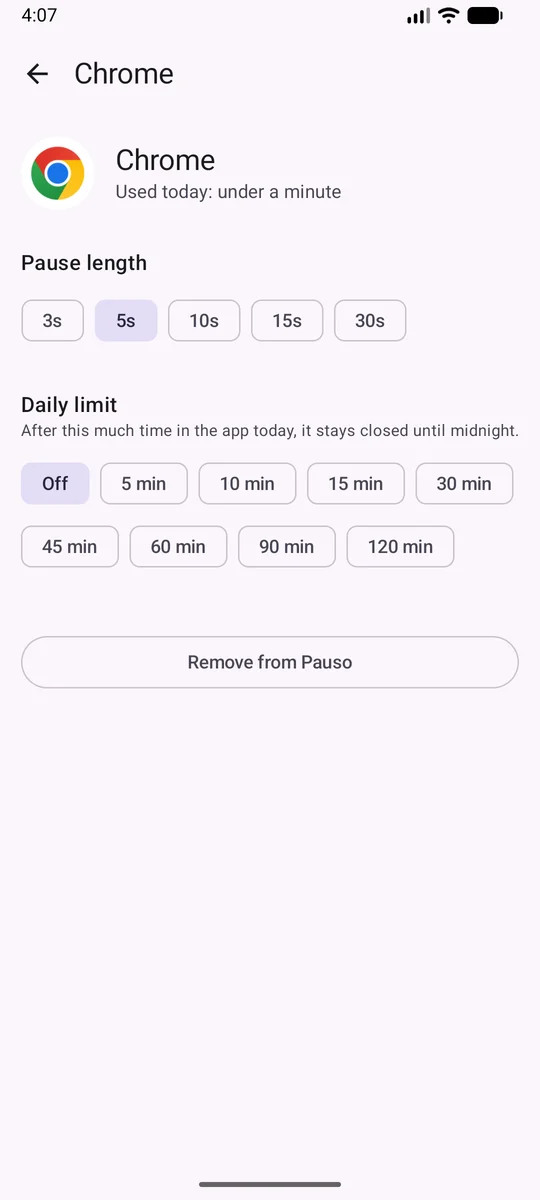
Pauso app settings with daily limit

Daily limits

Give an app a time budget per day. Once it's used up, the app stays closed until midnight, even mid-session.

  • 5 minutes to 2 hours per app
  • Time is counted by Pauso itself, so no extra usage permission is needed
  • See how much of today's budget is left at a glance
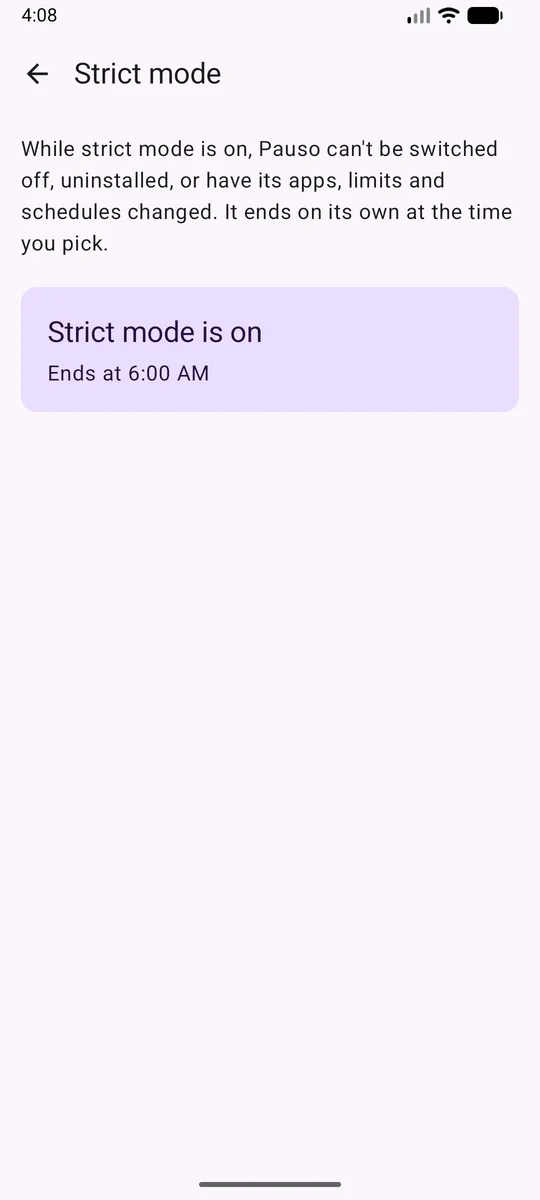
Pauso strict mode active

Strict mode

For the length you choose, Pauso can't be switched off, uninstalled, or have its apps, limits and schedules changed. It ends on its own.

  • 1, 2, 4 or 8 hours, or until 6 AM tomorrow
  • Covers the system accessibility page and the uninstall dialog
  • No early exit, on purpose
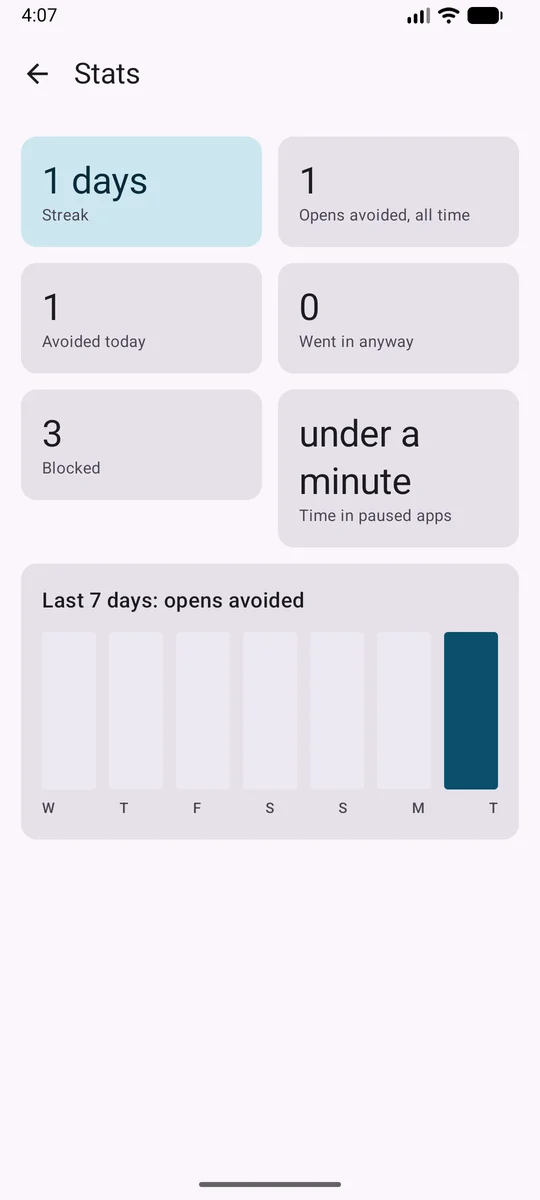
Pauso stats screen

Stats and streaks

Opens avoided, opens you went through with, time spent in paused apps, and a streak of days where the pause worked.

  • Today at a glance on the home screen
  • Seven-day chart of opens avoided
  • All counted on your phone, never uploaded
Private by design

Nothing leaves your phone

A focus app shouldn't be another thing watching you.

No ads

Not in the free version, not ever. No ad SDK is in the app.

No account

Nothing to sign up for. Install it and start.

No server

Pauso has no backend and no analytics. Your rules and stats are stored only on your device.

No screen reading

Pauso only learns which app came to the front. It cannot read what is on your screen.

About the accessibility permission. Pauso uses Android's Accessibility Service to learn which app just came to the front, so it can show the pause screen over it. It receives only the name of that app. Pauso does not read, collect or share anything on your screen. You turn the service on in system settings after the app explains this. Full details in the Privacy Policy.

Screenshots

Take a closer look

Pauso Premium

Free to pause. Premium to hold the line.

Free

No ads, no time limit
  • Pause screen for up to 3 apps
  • Pause length from 3 to 30 seconds
  • Today's stats and streak
  • Block schedules, daily limits, strict mode

Premium

Monthly or yearly through Google Play
  • Pause unlimited apps
  • Block schedules for work and sleep
  • Daily time limits per app
  • Strict mode that can't be bypassed

Priced for your country. Cancel any time in Google Play. See the Terms of Use.

FAQ

Questions, answered

Why does Pauso need accessibility access?

It's the only reliable way on Android to know the moment an app comes to the front, so the pause can appear before you start scrolling. Pauso receives the app's name and nothing else. It is configured so Android never gives it your screen content.

Can I just tap "Continue" every time?

Yes, after the countdown. That's the point of the free version: a pause, not a cage. If you want something firmer, Premium's schedules, daily limits and strict mode remove the "Continue" button.

Can I get out of strict mode early?

No. While it's on, Pauso blocks its own settings, the system accessibility page and the uninstall dialog. It ends at the time you picked. Choose a length you mean.

What happens if my subscription ends?

Your first three paused apps keep working with the pause screen. Schedules, limits and strict mode stop applying but are kept, so they come back if you resubscribe.

Pauso stopped showing pauses on my phone.

Some phones (Xiaomi, Oppo, Vivo, Samsung and others) kill background services to save battery. Open Pauso → Settings → Allow running in the background and exclude Pauso from battery optimisation.

Which Android versions are supported?

Android 8.0 and newer.
Give yourself a breath

Download Pauso on Google Play. Questions or ideas? Email sivanimmaladev@gmail.com.